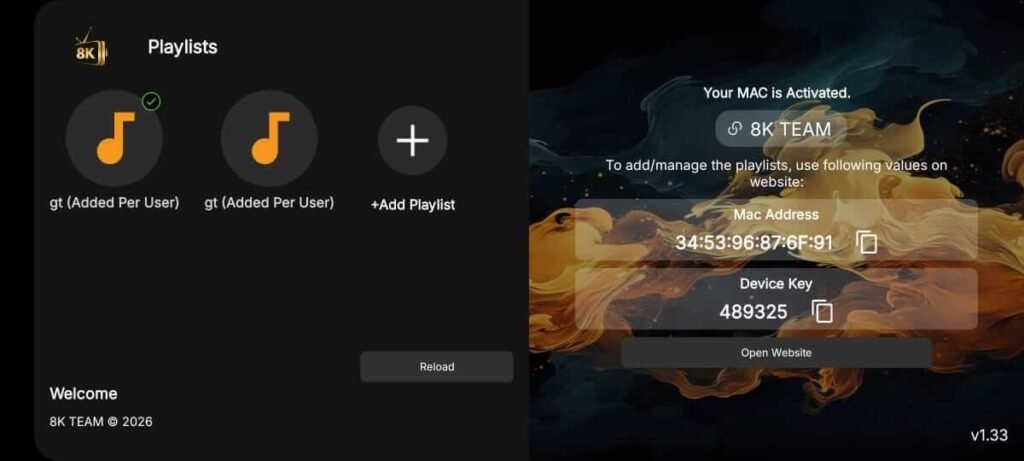
8k Player VIP +

How to Install IPTV 8K Player VIP on Fire TV Stick, Android TV, Google TV & Chromecast

This step-by-step guide shows you how to download and install iptv 8K Player VIP on Fire TV Stick, Fire TV, Android TV, Google TV, and Chromecast devices. Follow our detailed instructions, complete with screenshots and setup tips, to enjoy a fast, smooth, and hassle-free installation on your favorite streaming device.

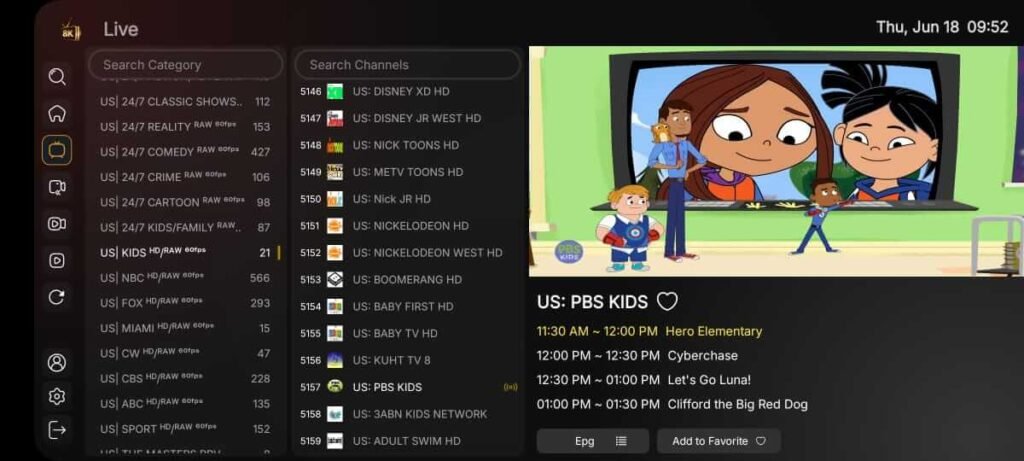
The app alone does not contain live channels for streaming, however, users can request a 1month test from us by clicking here.

Step 1 – Set Up Your Device Before Installation

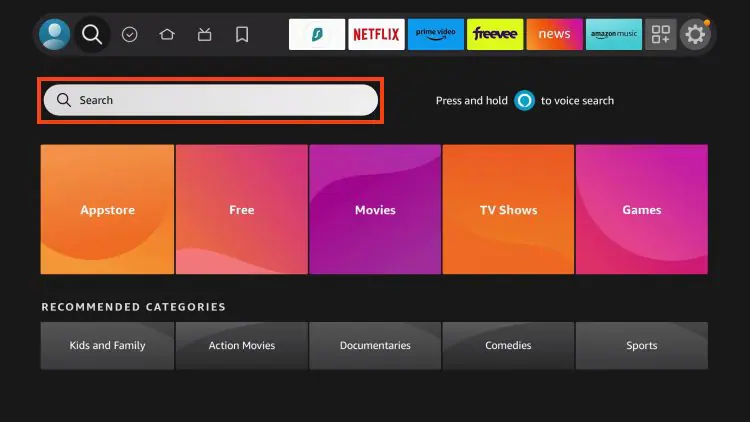
1. On your device’s home screen, go to the Search icon, then select the Search bar to begin.

8k player vip

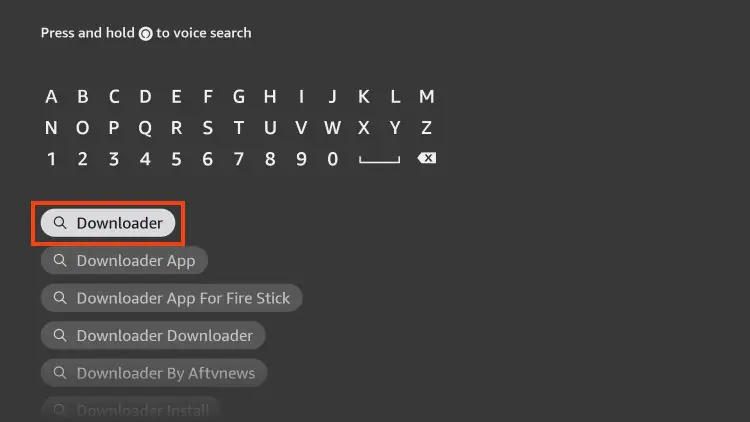
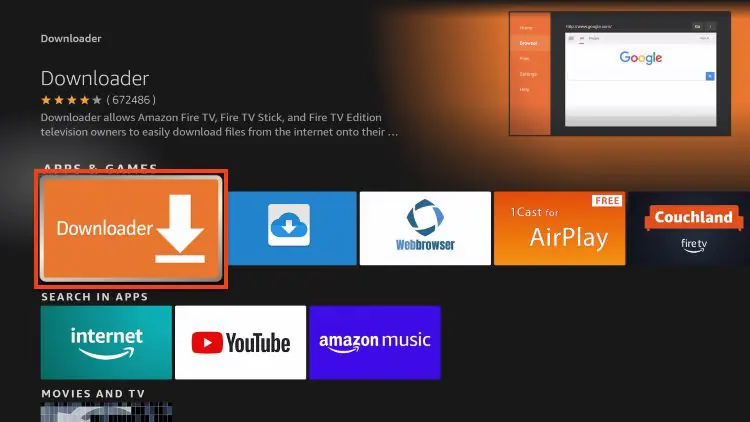
2. Search for the Downloader app, then select it from the search results.

8k player vip

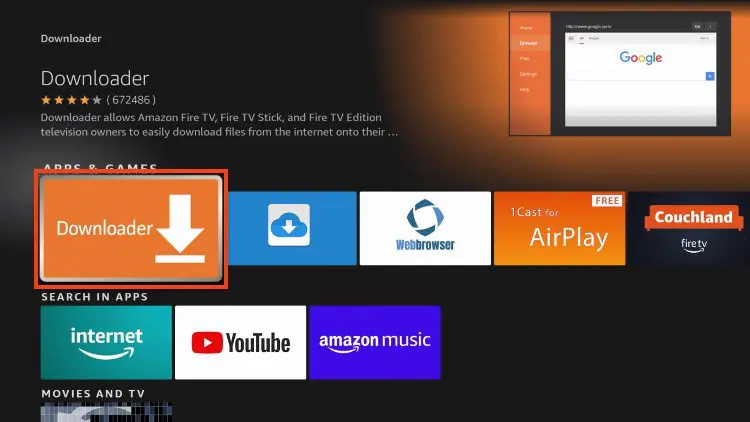
3. Select the Downloader app from the search results.

8k player vip

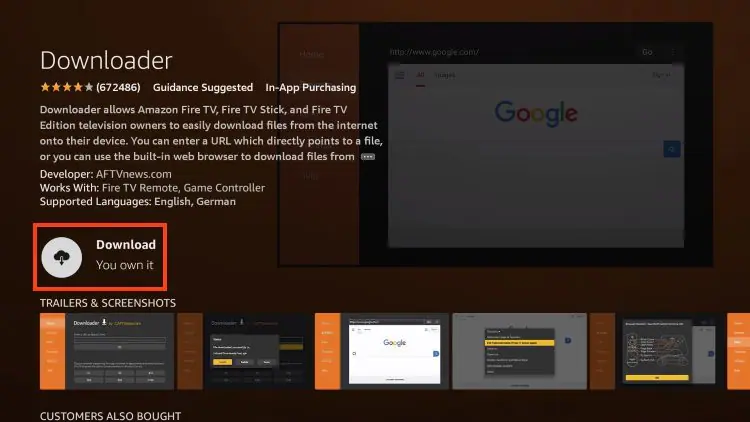
4. If the Downloader app isn’t already installed, click Download or Get to install it. After installation, open the app and proceed to Step 5.

8k player vip

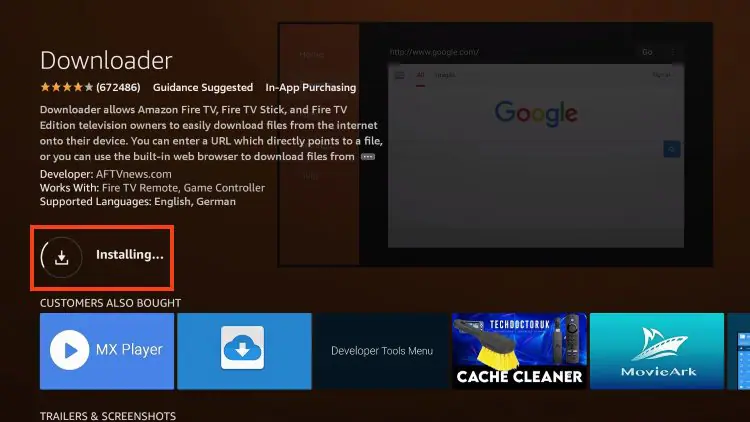
5. Wait for the Downloader app to install completely.

8k player vip

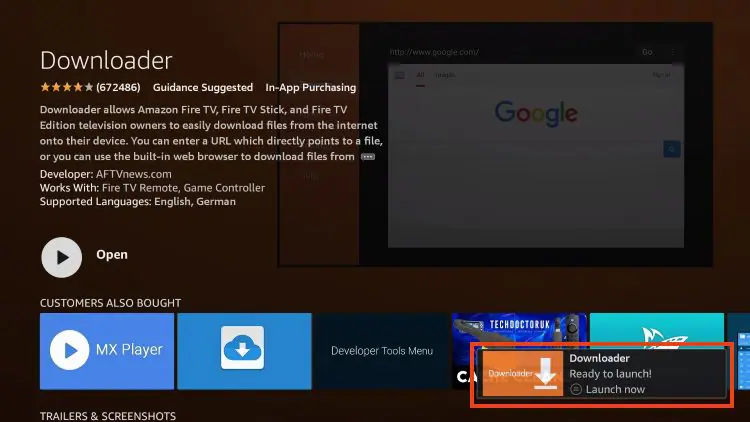
6. Once the installation is complete, you’ll see the message: “Downloader Ready to Launch!”

8k player vip (6)

Step 2 – Allow Downloader to Install the IPTV 8K Player VIP App

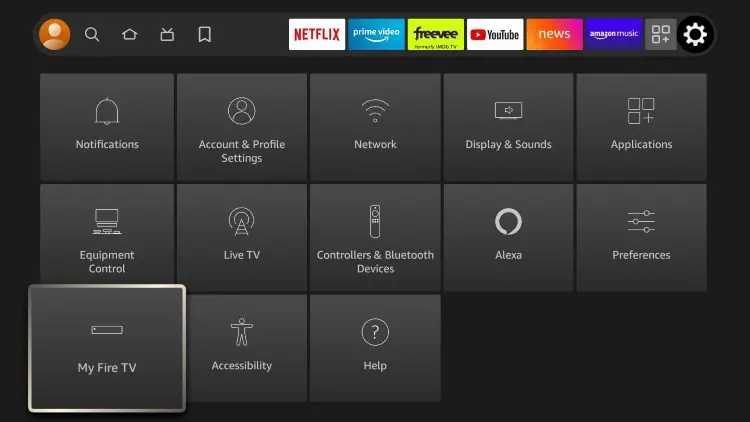
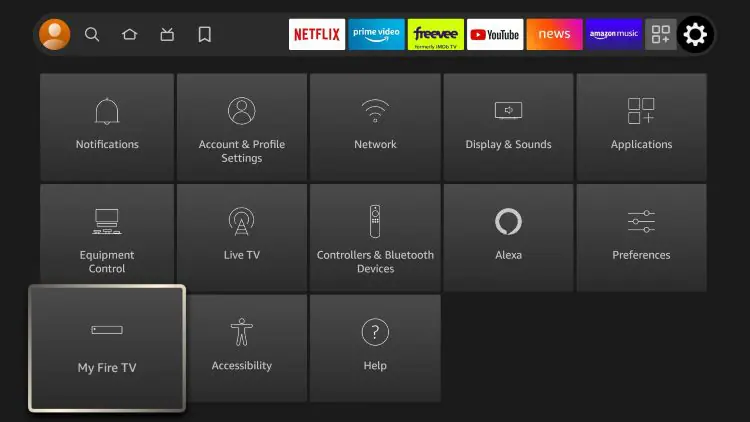
1. Return to the Home screen, open Settings, then select My Fire TV.

8k player vip (7)

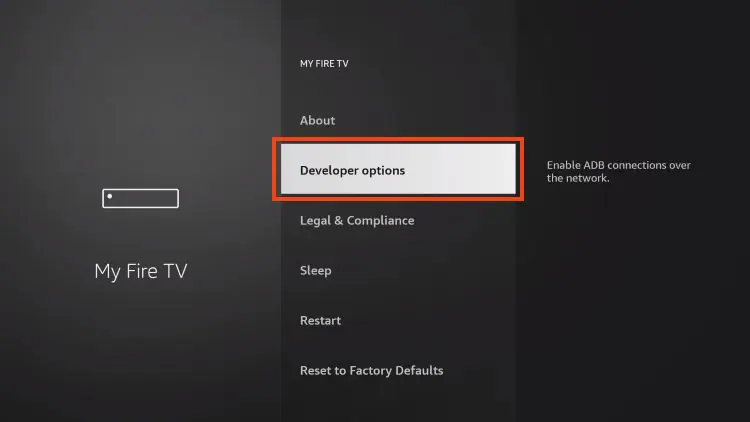
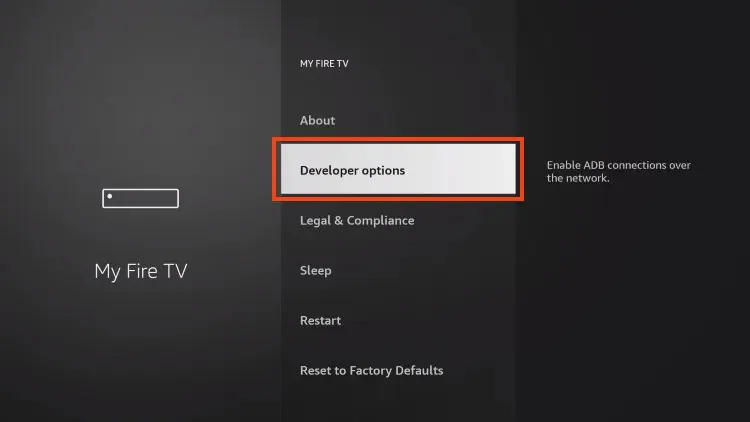
2. Open Developer Options.
Important: If Developer Options isn’t visible, follow the instructions below to enable it before continuing.

8k player vip (8)

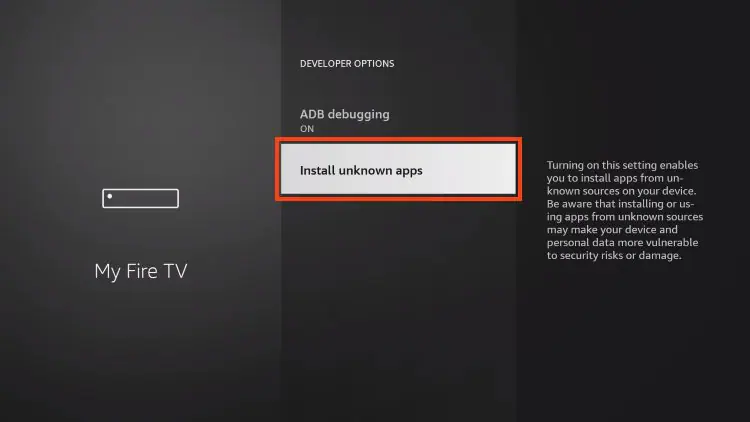
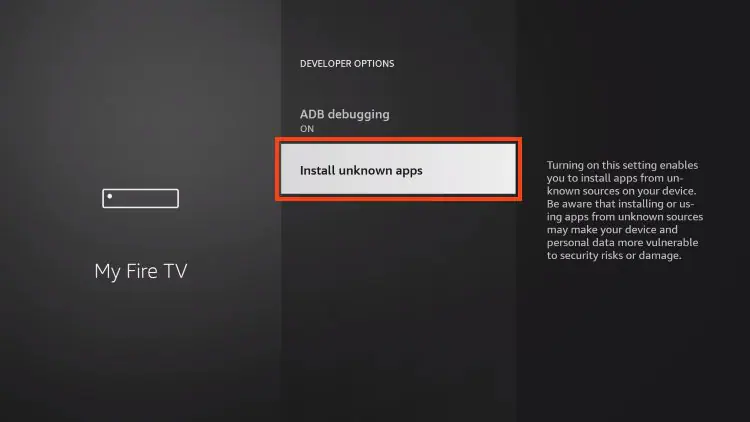
3.  Click Install unknown apps.

8k player vip (9)

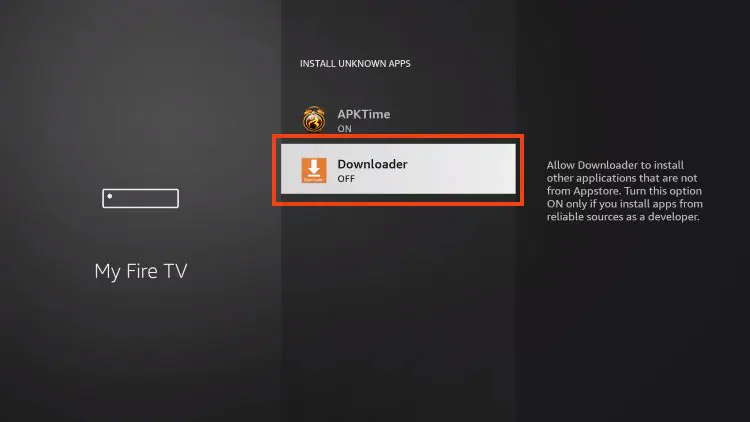
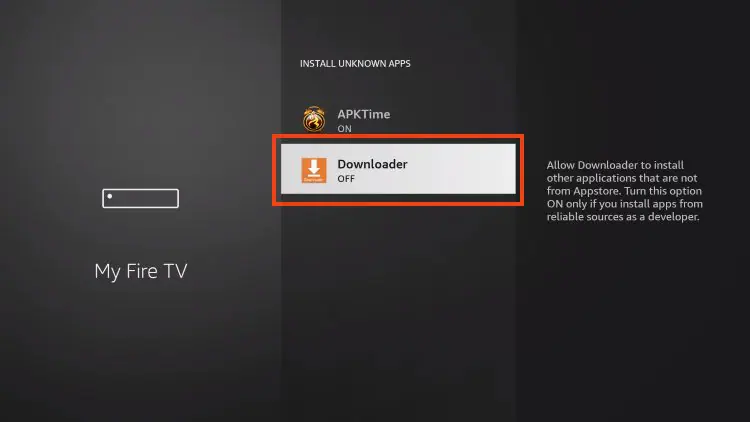
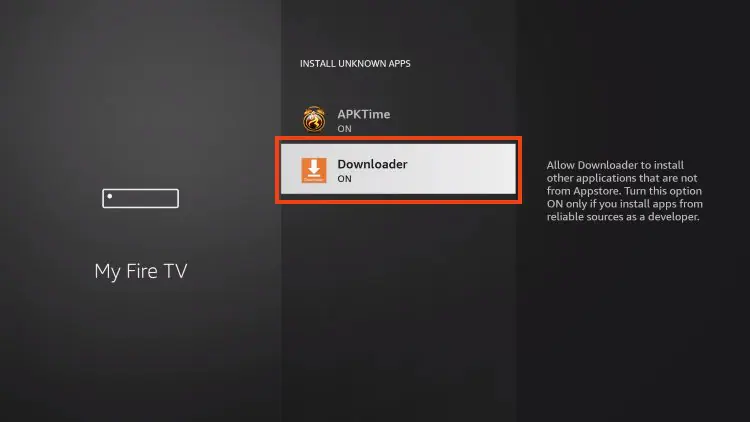
4.  Find the Downloader app and click on it.

8k player vip (10)

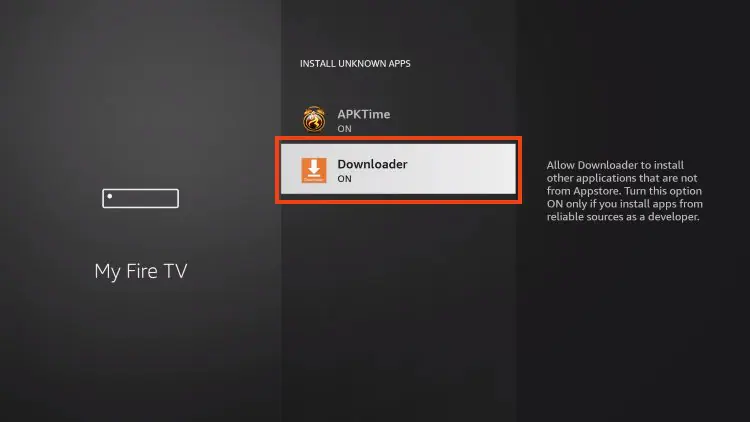
5.  This will enable unknown sources for the Downloader app and enable sideloading on your device.

8k player vip (11)

If Developer Options isn't available, follow the steps below to enable it. Otherwise, skip ahead to Step 3.


If you can’t find Developer Options

**If you can’t locate the Developer Options menu in Settings, follow the steps below to enable it before continuing with the installation of 8K Player VIP.

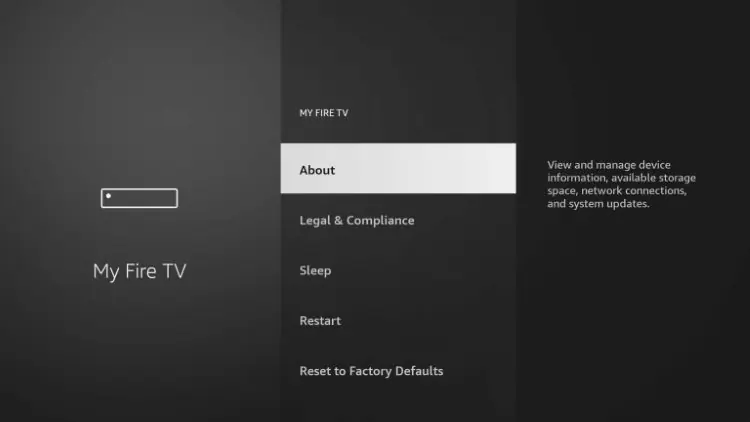
1. From the Home screen, open Settings, then select My Fire TV.


8k player vip (12)

2. Select About.

Note: At this stage, you’ll notice that Developer Options is not yet available. Continue with the following steps to enable it.

8k player vip (13)

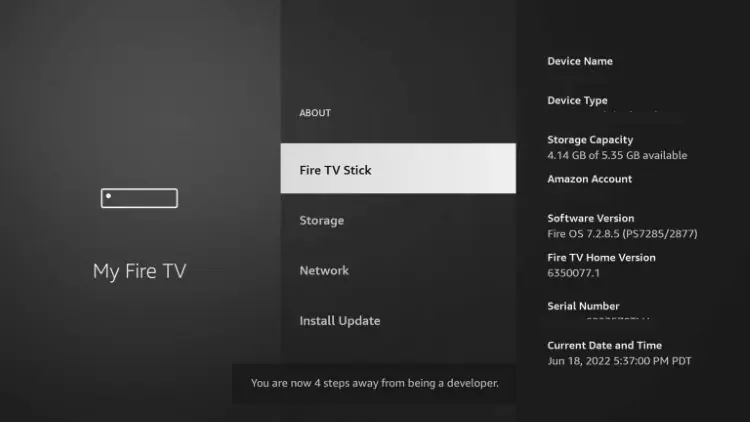
3. In the About menu, highlight Fire TV Stick (or your device name), then press the OK button on your remote seven times. A confirmation message will appear, indicating that Developer Options has been enabled.

8k player vip (14)

4. Press the Back button on your remote to return to My Fire TV. Developer Options should now be visible in the menu.

8k player vip (15)

5.  Click Install unknown apps.

8k player vip (16)

6. Find the Downloader app in the list, then select it to continue.

8k player vip (17)

7. This enables the Downloader app to install applications from unknown sources, allowing you to install 8K Player VIP on your device.

8k player vip (18)

Now that your Fire TV Stick is properly prepared, you’re ready to install 8K Player VIP. Continue to the next step.

Step 3 – Download and Install IPTV 8K Player VIP

1.  Launch the Downloader app.

8k player vip (19)

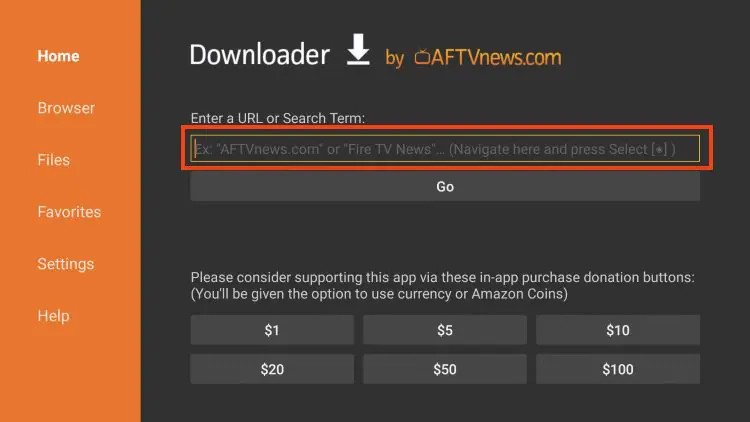
2. Navigate to the URL field in the Downloader app, then press the Select button on your remote to open the on-screen keyboard.

8k player vip (20)

3. Enter the following Downloader code, then select Go to begin the download:

1388878

8k player vip (21)

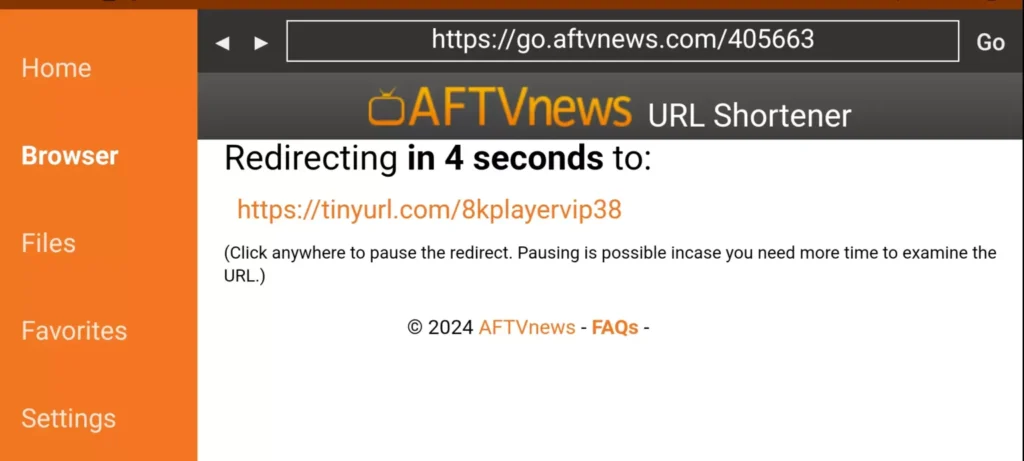
4.  You will then encounter a redirect page. wait 4 to 6 seconds if the download does not start click on the link

8k player vip (22)

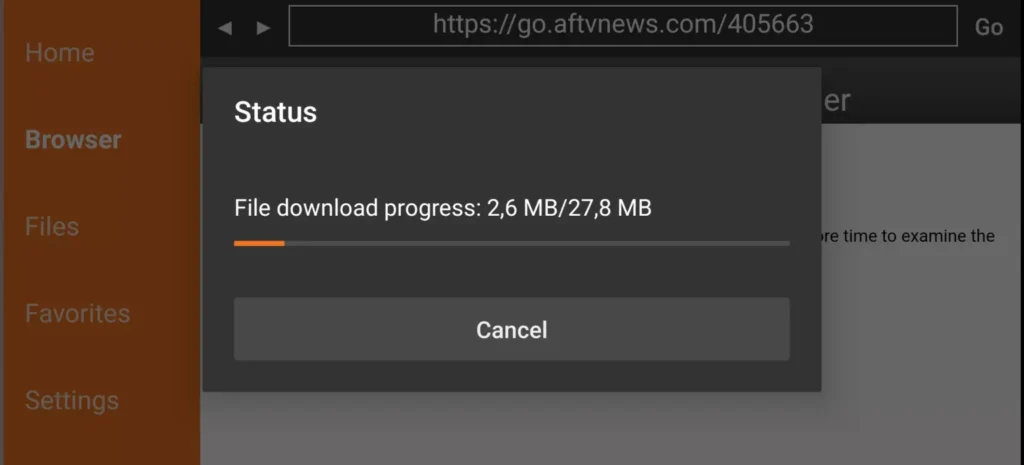
5. Wait for the 8K Player VIP app to download completely.

8k player vip (23)

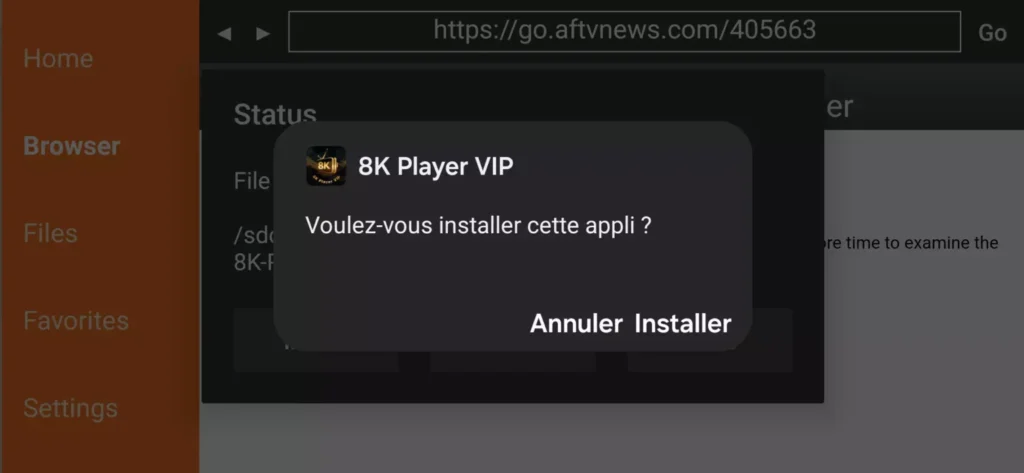
6.  Click Install.

8k player vip (24)

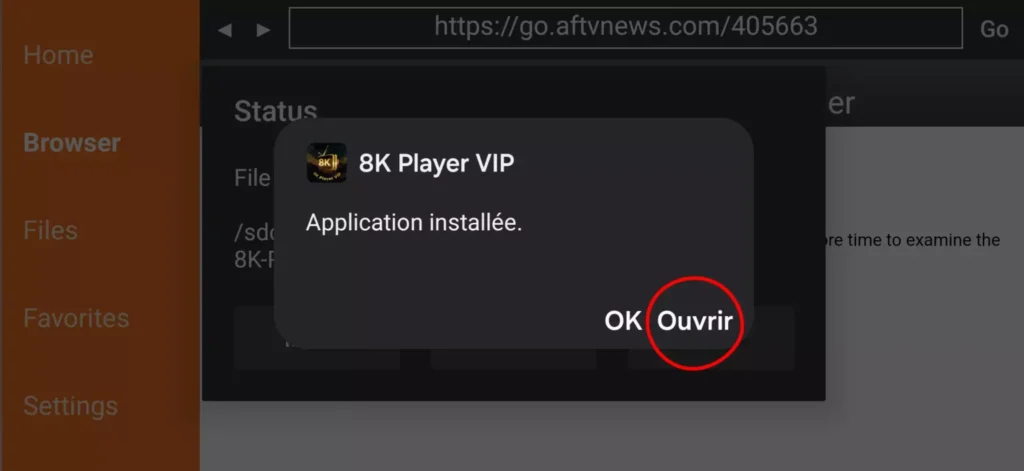
7.  The application is installed

Step 4 – Configure 8K Player VIP on Your Device

Once the installation is complete, launch the 8K Player VIP app to begin the setup process.

8k player vip+

1. Click on 8k Pro Or Cloud

8k player vip+

2. Click Edit

8k player vip+

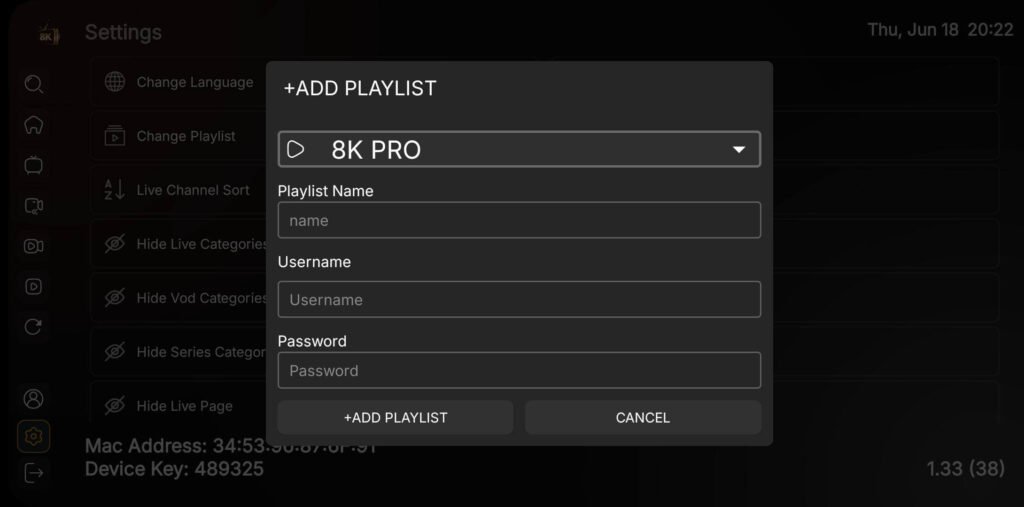
3. Enter the account information (playlist Name+Username+Password) and click Update Playlist. If you do not yet have a subscription, you can order by this Link OR ask us by WhatsApp whatsapp icon v2 e1667103826960
Need Help? If you’re experiencing any issues, take a clear photo of your MAC address and device key, then email it to contact@8kplayervip.com. Our support team will assist you as soon as possible.

Prefer instant support? Contact us on WhatsApp

best uk iptv

get your subscription only $30

iptv us

We'd Love To Hear From You